Top Lead Generation Software with CRM Integration 2026
Discover the best lead generation software with CRM integration in 2026. Enhance your sales with seamless data flow and increased efficiency.
Lead generation software with CRM integration automates prospect discovery, verifies contact data, and instantly syncs quality leads into your sales pipeline—eliminating manual data entry and ensuring your team never misses a beat. The top tools in 2026 don’t just collect names; they deliver warm, actionable leads that flow straight into your CRM, ready for your next move.
You know the frustration: dozens of browser tabs open, copy-pasting contact info from LinkedIn, hunting through outdated spreadsheets, and by the time you've surfaced a single promising lead, your competition might already be making their pitch. The old way isn’t just slow—it’s a constant drain on your focus and a goldmine for mistakes. When your CRM lives in isolation from your lead generation, it doesn't just double your work; it practically guarantees opportunities will slip through the cracks.
Most sales teams are still grafting together patched workflows, wasting hours manually transferring data, chasing down bounced emails, or realizing critical leads vanished into thin air because of bad or mismatched records. The real bottleneck isn’t a lack of effort—it’s relying on disconnected tools that sabotage data accuracy, accountability, and timing. In B2B SaaS, digital marketing, or e-commerce, that lag isn’t just annoying; it can mean losing deals you should’ve closed.
What if the process felt lighter and every new lead was automatically enriched, logged, prioritized, and ready to act on the moment it lands? This kind of solution makes your tech stack do the heavy lifting—so instead of busywork, you and your team can focus on building relationships and turning prospects into revenue.
Why CRM Integration is Crucial for Lead Generation Software
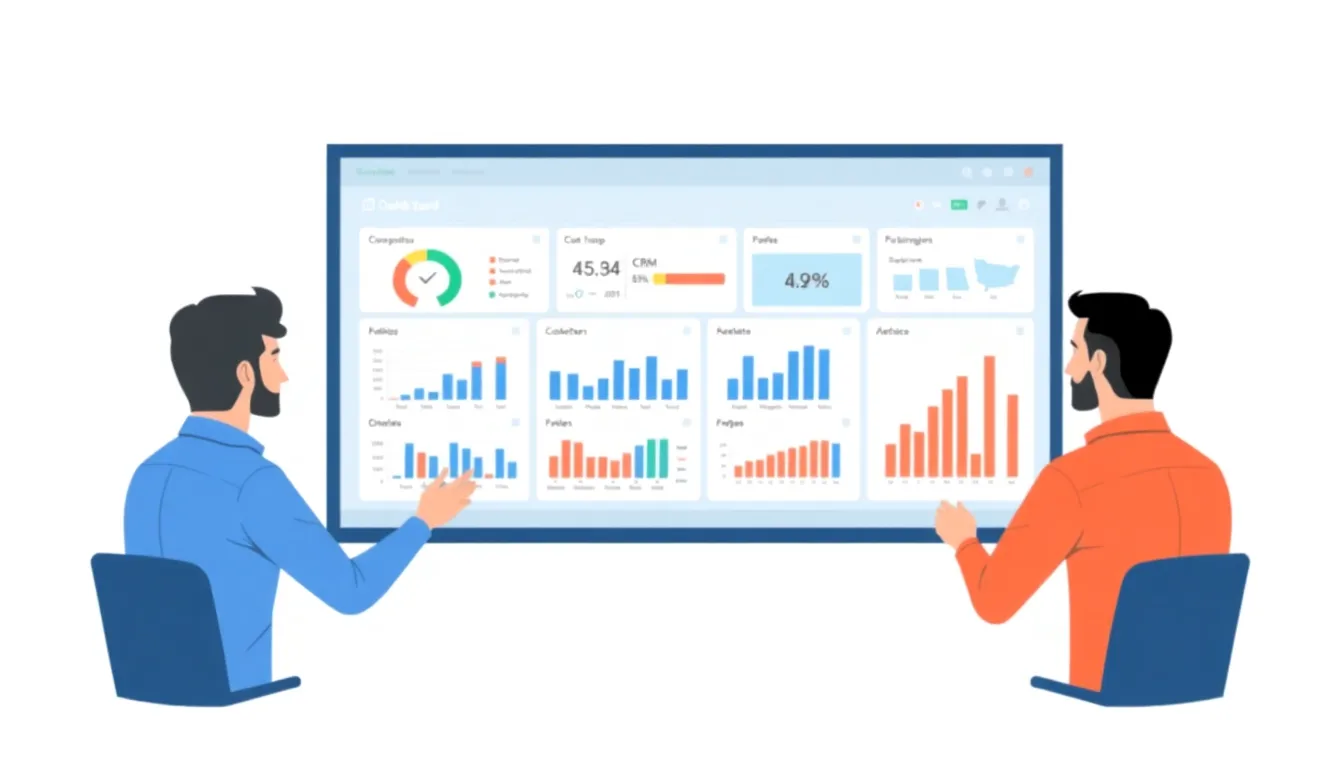
CRM integration is the single most powerful upgrade you can make to your lead generation software. When your tools exchange data without manual effort, everything downstream—pipeline accuracy, conversion rates, reps’ sanity—gets a massive lift.
Think about it: If your lead gen tool scrapes or collects fresh prospects, but you’re constantly exporting CSVs, patching duplicates, or losing context between apps, half your potential gets wasted in admin work. Integrated CRM systems let you skip all that. Sales, marketing, and even customer success can work from the same source of truth, in real time.
What does CRM integration actually mean?
CRM integration is the automated connection between your lead generation tools and your CRM platform, allowing contact data, notes, and activities to flow effortlessly from one system to another.
Instead of juggling spreadsheets, leads are pulled directly into your CRM—fully enriched, deduped, and mapped to your outreach workflow. Whether you’re qualifying a cold outreach list or nurturing inbound demo requests, nothing slips through the cracks. For a detailed walkthrough on this process, check out this guide on integrating lead data with CRM.
The numbers tell the story
Data doesn’t lie: teams that connect their lead gen software to a CRM see a serious impact. Companies with integrated CRM systems often experience an increase in lead conversion rates compared to those forcing reps to switch between systems. If you care about closing more deals with less friction, that’s not something you ignore.
Real-world example: Salesforce and AeroLeads
Take Salesforce paired with AeroLeads. AeroLeads finds verified contact info—emails, job titles, phone numbers—and pipes it straight into Salesforce. No copying, no formatting hell. This cuts down manual entry errors and lets reps follow up instantly.
Even better, when sales teams use a CRM that supports direct lead imports (not just CSV uploads), those leads hit your pipeline already segmented, scored, and tagged. The result? Less busywork, more meaningful conversations.
Why non-integration holds you back
Still toggling between tabs, pasting data from a LinkedIn lead extractor or scanning endless spreadsheets? You’re not alone—but you’re definitely burning time and still risking duplicates or missed follow-ups. These are the “quiet killers” of pipeline performance: errors that never make headlines, but drain momentum every quarter.
Actionable next step
Pull up your current CRM and your lead gen platform. Check if native integration is offered. Most major tools—including Salesforce, HubSpot, and Pipedrive—play nicely with top lead generation apps. If your CRM doesn’t, ask your provider why not. Cloud-based connectors or tools like LeadsBridge can fill gaps, but direct integration should be your standard—no excuses.
CRM Integration: The Differences at a Glance
Here’s how CRM integration changes the game:
| Feature/Benefit | Integrated CRM | Non-Integrated Workflow |
|---|---|---|
| Contact importing | Automatic, real-time | Manual export/import |
| Data accuracy | High (less manual) | Error-prone |
| Duplicate handling | Deduped automatically | Manual checks |
| Lead follow-up | Immediate | Delayed |
| Segmentation/tagging | Streamlined | Extra work needed |
| Performance tracking | Centralized, live | Scattered, partial |
Key takeaway: CRM integration doesn’t just tidy up your data—it supercharges your speed to lead, slashes errors, and gives your team more time with real prospects instead of busywork.
If your current lead capture and pipeline management tools aren’t supporting this kind of smooth workflow, you’re settling for second-best. Revisit your setup and don’t let your next big opportunity fall through the cracks.
What Are the Best Lead Generation Software with CRM Integration?
Picture a sales team grappling with three separate tools just to move one new contact into their CRM—the kind of chaos where an account exec chases a prospect all week, only to discover the demo was never booked because information got lost between spreadsheets, inboxes, and a clunky CRM import. This is the everyday frustration when your lead generation tool and your CRM don’t play nice. Leads end up stale or vanish in the handoff, and you’re left reconstructing missed opportunities from digital breadcrumbs.
The best platforms that integrate lead capture and CRM data turn that mess into a streamlined workflow where fresh, verified leads land right where your team needs them—no manual data entry, no slip-through-the-cracks follow-ups. If you’ve ever watched someone frantically update lead status in two different systems just to connect a call, you know exactly why integration matters.
Which lead generation software offers real CRM integration?
Almost every vendor claims “smooth CRM integration,” but the reality often feels like “export a CSV and cross your fingers.” True integration means your lead platform pushes data directly into your pipeline, updates in real time, and keeps duplicates out—so your team isn’t hitting up the same lead twice or missing someone who’s ready to buy.
ZoomInfo stands out for sales operations needing rich company and contact data tied straight into CRM records. It plugs into CRMs like Salesforce and HubSpot, auto-populating not just leads but deeper firmographic and intent data. That means reps aren’t wasting hours researching, cleaning, and updating—ZoomInfo handles enrichment behind the scenes.
Apollo.io takes data sync a step further with native integrations that pull in contact activity, engagement data, and lead qualification scores. No need to manually update actions—every call, email, and note shows up in your CRM, building out a real profile for each account as your team works. If you’re fighting with partial records or missing engagement history, Apollo.io’s automated sync can save your pipeline.
These platforms also shine with lead scoring, automated workflows, and keeping all your touchpoints under one roof. No more toggling six browser tabs or resending the same email because you can’t tell who’s already been contacted.
What defines the “best” lead generation software for modern sales teams?
It’s about more than importing contacts. The top picks combine verified data, live syncing, duplicate prevention, and in-tool triggers for follow-ups or nurtures. Missed follow-ups due to manual error aren’t just annoying—they directly eat into quota. Sales managers share stories of deals slipping away because the prospect’s emails landed in a different rep’s inbox or got tagged as “unverified” before a call ever happened.
Integrations also protect data quality. Automated checks spot duplicates, map similar leads, and ensure engagement activity matches the right account. This pays off in less confusion and a cleaner handoff between sales and marketing.
LinkedIn prospecting illustrates this well. Teams using a cold, disconnected “LinkedIn lead extractor” often patch together partial profiles, chase outdated numbers, or struggle with botched imports. Solid solutions go beyond scraping—they tie new leads instantly to CRM opportunities, with every touchpoint tracked. This is the difference between knowing who’s ready for a demo and losing prime contacts in a CSV oblivion.
How do you choose the right tool?
If you're in SaaS, e-commerce, or digital marketing, you need software that fits your actual selling motion, not someone else’s. Start by asking:
- Does the tool send every new lead, with validated contact details, straight to sales—no copy-paste circus?
- Will your campaigns instantly update based on CRM status, not just when someone finds time to import?
- Is data deduplication baked in, so you aren’t pinging the same prospects twice and shredding your sender reputation?
Integrated marketing and CRM systems reduce manual tasks and improve campaign efficiency, especially with automated lead enrichment and routing. The best tools fade into the background and let your team focus on actual selling—not babysitting software.
The bottom line: Your lead capture and management platform should slot directly into your CRM, automating data flow, updating records in real time, and keeping your pipeline curated—not cluttered. When that happens, your sales team can finally trade chaos for a workflow that closes more deals.
How to Choose the Right Lead Generation Software for Your CRM
Top-performing sales and marketing teams choose software deliberately. The right lead generation platform does more than capture leads; it works with your CRM, delivers fresh contact data, and keeps everyone aligned with real-time updates.
What separates a smart choice from a costly headache? Compatibility, depth of integration, and supporting your team’s workflows. Here’s how to make selection painless—and effective.
What matters most when evaluating lead gen tools for CRM workflow?
CRM compatibility isn’t negotiable. If a tool can’t connect directly to your CRM or forces awkward workarounds, you sacrifice speed and accuracy daily. Focus on platforms with documented integrations for leaders like Salesforce, HubSpot, or Pipedrive out of the box. Anything less risks manual data wrangling that erases promised efficiency.
Don’t get distracted by “checkbox” integrations. You need deep sync—two-way data flow, real-time updates, and reliable deduplication—especially if you source leads from multiple channels or use enrichment features like a LinkedIn lead extractor.
Here’s how leading platforms stack up for integration pains and gains:
| Product | Direct CRM Integrations | Two-Way Sync | Real-Time Updates | Deduplication | One-Click Export | Social Lead Scraping |
|---|---|---|---|---|---|---|
| HubSpot | Yes | Yes | Yes | Yes | Yes | Yes |
| Pipedrive | Yes | Yes | Yes | Yes | Yes | Yes |
| Apollo.io | Yes | Yes | Yes | Yes | Yes | Yes |
| Outsoci | — | — | — | Yes | Yes | Yes |
| AeroLeads | Yes | Yes | — | — | Yes | Yes |
Key takeaway: If you rely heavily on scraping from social platforms or Google Maps, tools like Outsoci deliver clean, deduplicated CSV exports—but for deep, out-of-the-box CRM integration, your shortlist should include major names like HubSpot, Apollo.io, and Pipedrive.
Why integration depth isn’t just a “nice-to-have”
“Surface-level” integrations quickly fall apart if your pipeline moves fast. A marketing director shared a classic scenario: Before upgrading, their team sent daily lead dumps over email—chaos, duplicate contacts everywhere, and constant finger-pointing over account ownership.
After moving to a platform with native CRM integration and live data push, the chaos disappeared. Sales saw new leads in their CRM instantly. Handoff times dropped by half, and lead response rates spiked because outreach began while prospects were still “warm”—not days later buried in an inbox.
The practical checklist for picking your next lead generation tool
Focus on essentials:
- CRM support: Is it native with Salesforce, HubSpot, Pipedrive, etc.?
- Integration depth: Two-way sync or just one-way exports?
- Data freshness: How often does it update scraped data or contact details?
- Deduplication: Auto-detect and merge duplicates?
- Social/multi-channel scraping: Pull leads from LinkedIn, Google Maps, and more?
- Export options: Leads in the format your team needs?
- Compliance: Visibility into data privacy processes?
Don’t compromise on these if you want efficiency.
What sets winning teams apart
Winning teams pick software that aligns with their CRM workflows, cuts manual steps, and keeps the process auditable. Seamless CRM and lead tool integrations are common among high performers because chasing missing or duplicate contacts wastes time.
The bottom line: For leads that convert and a smooth handoff, pick software that speaks your CRM’s language, not just another list exporter. Tools like Outsoci speed up social scraping and export, but full-cycle pipeline mastery demands integration depth as your north star.
How Does Lead Generation Software with CRM Integration Benefit Sales Teams?
This software makes sales teams dramatically more efficient by centralizing contacts, automating data transfer, and enabling faster, personalized outreach. No more toggling between clunky spreadsheets and an overloaded inbox—integrations pull everything together so reps work smarter, not harder.
What Are the Direct Benefits for Sales Teams?
Sales teams using integrated lead gen and CRM systems report reduced lead response time, crucial for contacting prospects while interest is high.
With integration, reps don’t waste hours copying details or updating multiple systems. Lead profiles are enriched automatically and synced in real-time. This means fewer mistakes and a single version of the truth for every contact.
How Do These Integrations Enhance Daily Sales Activities?
Consider Lusha’s CRM integration: reps get instant access to enriched lead profiles—company background, social links, accurate contact info—all within their CRM dashboard. The tedious process of hunting emails and phone numbers disappears.
Benefits include:
- Faster Response: Leads flow directly into reps’ workflows—no delays or missed follow-ups.
- Context-Rich Data: Reps see every call, email, and note in one place for relevant conversations.
- Automated Lead Routing: Leads are automatically assigned based on rules (territory, deal size).
- Clear Accountability: Managers see which leads were followed up (and which slipped through).
Result? More leads turn into conversations, fewer opportunities fall through cracks.
What Steps Maximize the Impact for Sales Teams?
To get the most from CRM-integrated lead gen, train reps to:
- Work from the CRM Dashboard: Make CRM the single source of truth—no rogue spreadsheets.
- Prioritize Real-Time Alerts: Notify reps instantly when new leads drop, capitalizing on “buying intent.”
- Use Full Lead Profiles: Review enriched data before calls or emails.
- Track Every Touch: Log all interactions in CRM to build business intelligence.
- Analyze Follow-Up Cadence: Use reporting to identify and fix follow-up gaps.
Why Does CRM Integration Outperform Separate Tools?
Split lead gen and CRM work means duplicate effort, lost data, and missed revenue. Integrations eliminate silos, letting data flow where needed and focusing sales activity.
Imagine a rep using a single tool that connects LinkedIn lead extractor results directly to CRM. No delays or misalignment—just immediate action. Faster response and deeper insights turn “interesting lead” into “active opportunity” smoothly.
Key takeaway: Sales teams using integrated lead gen tools with CRM access outperform those juggling disconnected systems—expect faster responses, better data quality, and fewer lost leads.
For validation, review a Salesforce research guide on lead generation good approaches. Companies serious about sales productivity rank CRM integration as essential.
Skipping integration invites leads to slip away. The sooner your sales team has a streamlined workflow, the more deals they’ll close—with less manual grind.
What Are the Challenges of Implementing CRM-Integrated Lead Generation Software?
The hardest part about moving to fully integrated lead capture and CRM systems? The first weeks can feel chaotic. Sales and marketing talk about smooth automation and “instant updates," but nobody warns about initial headaches.
Picture a digital marketing agency buried in spreadsheets, reps scrambling to pull contacts from LinkedIn lead extractors, others using Google Sheets, and someone chasing leads on outdated platforms. Collaboration is nonexistent. Half the leads are already in the system—nobody knows which are fresh or relevant. Before true integration, teams spend as much time untangling data as selling.
Integration changes that overnight—but only if you get past roadblocks.
Why does integration get so messy?
Integration complexity is the biggest trap. It’s not just “connecting two platforms.” Data needs migrating—old, messy, duplicate-ridden lists cleaned up. You’ll face mismatched fields, lost notes, missing sources. Even the best lead capture tools can’t fix years of patchwork. Automating lead assignment or routing often triggers configuration snags frustrating reps and IT alike.
Expect a bumpy ride unless you have airtight data hygiene. One wrong mapping and sales chase the same prospects or prospects get duplicate messages.
Data security adds pressure. Handing over contacts to a new system raises compliance concerns. Regulations like GDPR mean sloppy data flows aren’t an option—lead source tracking, consent flags, and secure migration must be bulletproof. Any gaps risk penalties, especially with scraped or third-party lists.
What happens after launch?
Even with experts, day one isn’t perfect. That marketing agency—after a rushed setup—found leads disappearing into “unknown” buckets or failing to sync between pipeline and CRM. Reps complained of lagging updates or missing scores. The culprit? Mismatched field mapping in the integration panel.
The fix? They hired a CRM integration specialist. Within days: duplicates merged, fields matched, automated scoring flowed smoothly. The critical win wasn’t just technical. Sales stopped fighting the tool and worked together again. Automated scoring and instant CRM updates gave reps the freshest leads, freeing hours weekly for selling. Morale soared. Pipeline reviews stopped feeling like blame games.
How do you dodge the pain?
Most companies lack in-house know-how to nail integrations on first try. Vendor guides or trial-and-error aren’t enough when deadlines loom and lead flow can’t pause. The smart move? Partner with CRM implementation pros. It costs more upfront but prevents headaches, downtime, and team burnout. According to a Salesforce guide on good lead generation approaches, successful rollouts hinge on both technical setup and real buy-in.
Key takeaway: Integration isn’t just a tech checkbox. Treat it as a team transformation project, and you’ll get the speed, collaboration, and sales wins you want. Ignore messy details, and benefits stay out of reach.
Future Trends: The Evolution of Lead Generation Software with CRM Integration
Nothing stops a top sales team faster than a lead gen tool that can’t keep up. It starts small—a team spends twice as long qualifying leads, only to find patchy or outdated data. Morale drops. Pipeline velocity tanks. The root? Lead capture and CRM tools must do more than dump contacts into your CRM.
What Trends Will Shape Lead Generation Software with CRM Integration?
AI-powered insights, deeper automation, and smarter data flows define the next wave. A year ago, most platforms just uploaded lists and ran drip campaigns from CRM. That doesn’t cut it anymore.
The new standard: real-time, AI-driven lead scoring and personalized recommendations. Systems will surface prospects fitting your ICP, deduplicate records, and predict conversion likelihood. Multiple platforms already offer AI-powered lead qualification and enhanced CRM analytics.
Where Is Automation Heading Next?
Automation isn’t about blasting more emails faster—it’s removing grunt work from nurturing and follow-up.
Expect soon:
- Predictive lead scoring: AI weighs dozens of variables to rank leads so BDRs prioritize wisely.
- Automated multi-channel outreach: Tools automate LinkedIn messages, SMS, calls based on engagement.
- Hands-off deduplication and enrichment: Platforms merge, enrich, and validate leads behind the scenes.
- Personalized journeys: Every touchpoint adapts automatically based on prospect behavior.
Key takeaway: More intelligent automation means faster closes without losing human touch.
Example: Outsoci's Upcoming Features
Outsoci’s roadmap previews this future. Soon, users get AI-powered lead qualification rating leads on nuanced criteria from multiple channels. Plus, enhanced CRM analytics offer real-time insights so teams know when to pivot strategies.
How Leading Tools Stack Up: AI and Automation Features
Here’s where major players stand in 2026:
| Tool | AI-Powered Lead Scoring | Automated Multi-Channel Outreach | Deduplication | Enhanced CRM Analytics | LinkedIn Lead Extraction |
|---|---|---|---|---|---|
| Outsoci | Coming Soon | — | Yes | Coming Soon | Yes |
| Apollo.io | Yes | Yes | Yes | Yes | Yes |
| AeroLeads | — | — | — | No | Yes |
| Pipedrive | Yes | Yes | Yes | Yes | — |
Platforms are converging on AI features, but not all support the full package yet. Outsoci excels in verified extraction and clean data flow, with advanced AI and analytics coming soon.
How to Actually Prepare for the Next Evolution
Avoid painful rollouts in a fast-changing landscape:
- Map your tech gaps. Identify missing features—predictive scoring, integration depth.
- Pilot with your team. Let quota-carriers test AI features against real workflows.
- Track vendor roadmaps. Treat releases like quarterly product checkups.
- Phase rollouts. Move small teams first with vendor support to avoid “switch-flip” chaos.
Staying current with updates isn’t optional—it’s how top teams keep an edge.
The Bottom Line
Lead capture and CRM software evolves fast—AI insights and automation are no longer “nice to have.” Teams plugged into these trends find more leads, convert faster, waste less time, and avoid outdated pipelines.
For a broader market perspective, see Salesforce’s overview of best lead generation tools.
Ready to Supercharge Your Pipeline?
Unlock your sales outreach’s true potential by making CRM integration non-negotiable when choosing your lead capture and management platform. The right tool doesn’t just collect leads—it keeps contact data fresh, team aligned, and follow-ups timely. Prioritize platforms offering real-time data, automatic deduplication, and smooth export features to sharpen your sales process.
Solutions like Outsoci simplify workflows by delivering verified leads and integrating easily with your CRM. Lead generation is evolving fast—embrace tools that help you move quicker, work smarter, and stay ahead. Empower your team to turn quality leads into lasting partnerships.
For more insights on automating lead discovery, explore how to generate verified leads automatically.
Stop buying stale lead lists
Pull fresh, verified contacts from Google Maps and social media — export in one click.
Try Outsoci today →